Ten apps, ten versions of the truth
Walk into the office of a typical UAE school and count the systems. A student information system for classes and grades. A learning platform for homework. A payment gateway for online fees. A spreadsheet for transport routes. Another for the library. A uniform supplier's order portal. An accounting package. And WhatsApp holding it all together.
Each tool is good at its job. The trouble starts when they disagree. The SIS says a child withdrew in October; the fee ledger is still invoicing her. The gateway shows a payment; finance can't find the invoice it belongs to. The board asks for revenue by campus, and three people spend a week reconciling three exports.
The fix is not another app. It is deciding which system is the mother system: the one hub every other tool connects to, and the one place where money and master data are always right.
Without a mother system
Exports, re-keying and month-end reconciliation between tools that disagree.
With a mother system
Every app connects to one hub. Money and master data are right in one place.
What a mother system is, and what it is not
A mother system is the system of record for the things that cost or bring in money, and for the master data everything else depends on:
- Families and students, with one ID each, used by every other system
- Fees, invoices, payments and refunds
- Suppliers, purchases and stock
- Staff, payroll and their cost
- Assets, from buses to laptops
- The general ledger, and every report built on it
It is not a replacement for every specialist tool. Your SIS still runs timetables and report cards. Your learning platform still runs homework. Teachers keep the apps they like. The difference is that each of those systems either takes its master data from the mother system or sends its transactions to it, through a defined connection, instead of living as an island.
Think of it as one trunk with many branches. The branches can change; the trunk holds the record.
What lives where
This is how we map a typical school onto a mother system. The rule of thumb: academic data lives in academic tools; anything with a price, a cost or a ledger entry lives in the mother system.
Transactions flow in Master data flows out
| System | What it owns | Sends to the mother system | Takes from the mother system |
|---|---|---|---|
| Student information system (PowerSchool, iSAMS and others) | Classes, timetables, attendance, grades | New enrolments, grade changes, withdrawals | Family and student IDs, fee status |
| Learning platform (ManageBac, Toddle and others) | Courses, assignments, assessments | Nothing financial | Student and class lists, via the SIS |
| Parent payment portal | The parent's online payment experience | Payments, applied to the right invoice | Open invoices for every child in the family |
| School online store | Product catalogue and ordering | Orders and payments | Prices, stock and the family account |
| Transport | Routes, stops and riders | Route assignments for billing | Students and families |
| Library | Catalogue, issues and returns | Overdue fines | Students and families |
| Banks and payment gateways | Cash movements | Statements and settlement files | Payment and payroll files |
| Regulator returns | The authority's own data rules | Nothing | Student, fee and staff data for submissions |
| Power BI | Dashboards | Nothing | Ledger, fees, enrolment and HR data |
Notice what disappears: re-keying. Nobody types a withdrawal twice, nobody matches gateway reports by hand, and every dashboard reads from the same numbers.
Each of these connections is something we have built for schools. Here are four of them running in Business Central:
 Payment portalPayments post themselves
 Online storeOrders into the ledger
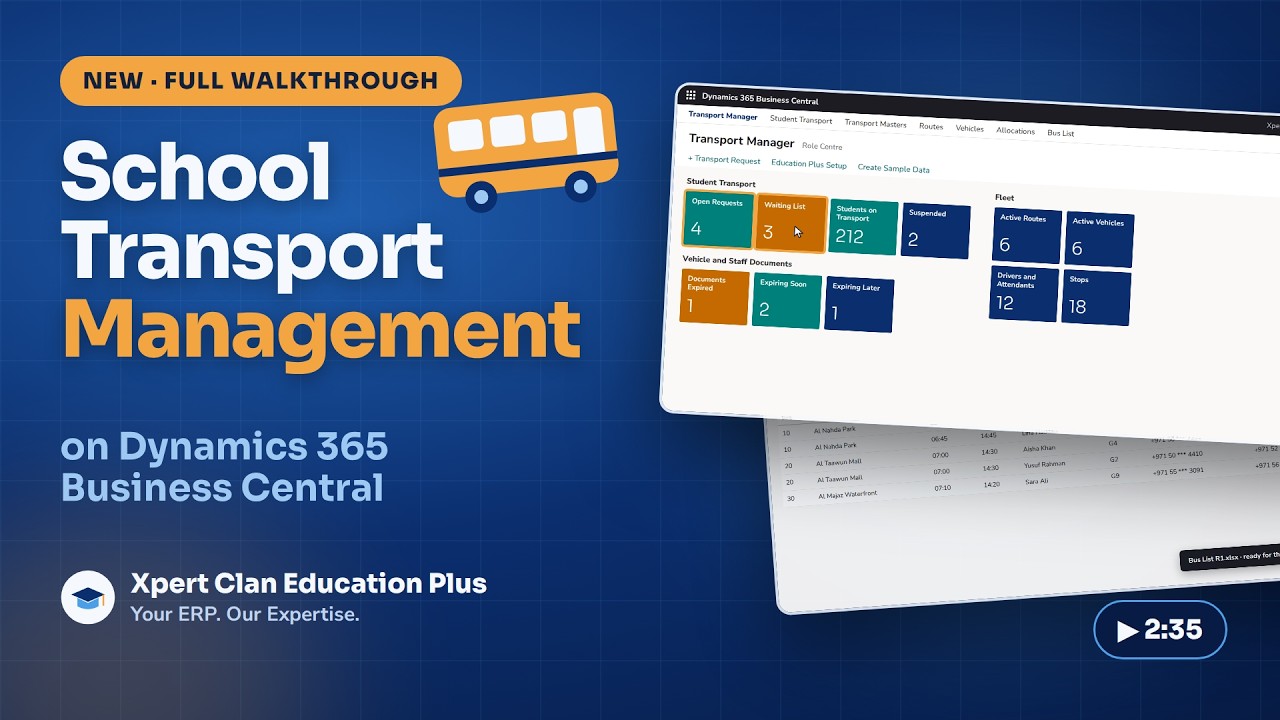 TransportBilled with term fees
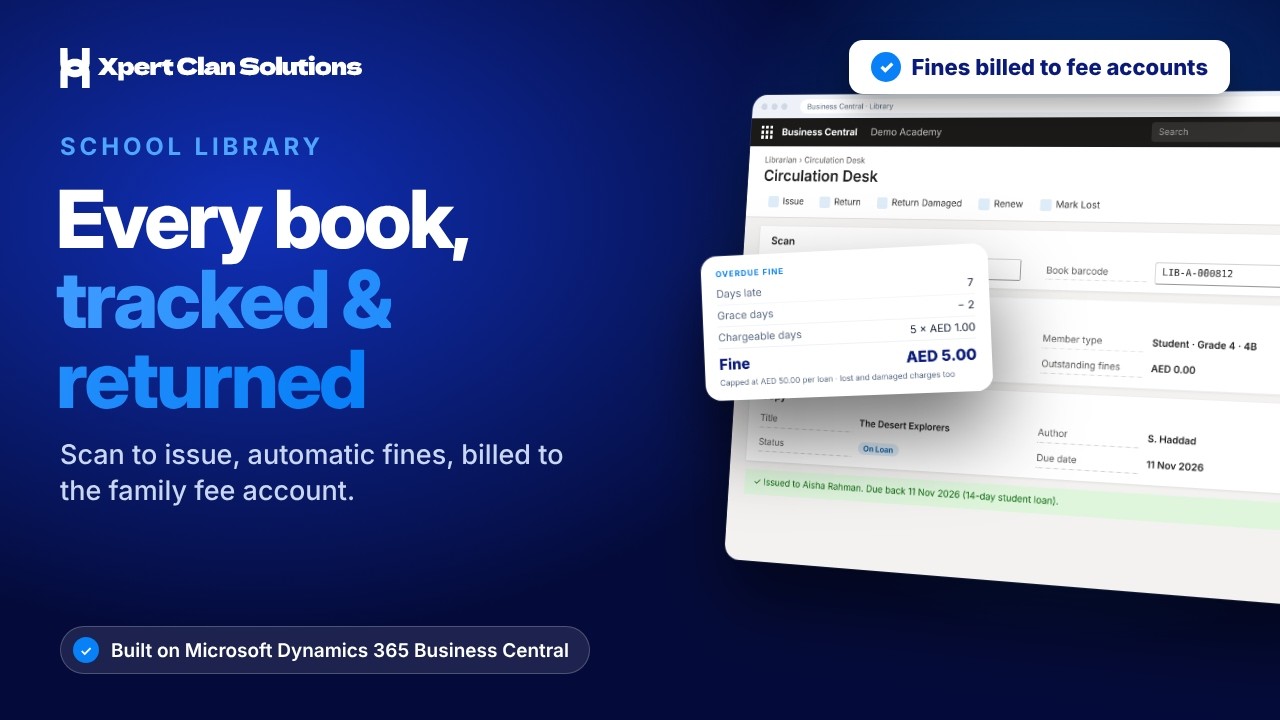 LibraryFines to the family account
Why Business Central makes a good mother system
A mother system has to be trusted by the auditor, open to other systems, and able to grow with the school. Microsoft Dynamics 365 Business Central ticks those boxes.
Ledger, receivables, payables, bank, fixed assets and VAT are standard, exactly where the auditor expects them.
Standard APIs and web services, plus Power Automate and Power Apps, so other systems exchange data cleanly.
School processes run as extensions, so Microsoft updates don’t wipe out your customisations.
Campus, grade, department and fee type tag every entry, for the principal, finance and the board.
Excel, Outlook and Teams alongside Business Central, with one sign-in and one security model.
Permission sets, approval workflows and change logs show who changed what, and when.
Ready for what's next. UAE e-invoicing, Corporate Tax reporting and group consolidation all need clean, central data. A mother system is where that data lives.
Five rules for connecting systems to the hub
Decide which system creates each item and which only read it. A grade belongs to the SIS; a fee balance belongs to the mother system.
Every family and student gets a single ID that every connected system stores. Name matching causes duplicates and misapplied payments.
Payments and enrolments flow in near real time. Library fines or transport changes can sync nightly.
Failed records land on a list someone owns and clears, with the reason shown.
Use standard APIs, not database links or exports in shared folders, so integrations survive upgrades.
Getting started
You don't need to switch everything at once. Most schools move to a mother system in three steps:
List every system, what it owns, and where people re-key or reconcile today.
Families, fees, payments and the ledger move to Business Central.
SIS, payment portal, store, transport and library, one by one.
0 of 5 Two or more gaps: your school is running without a mother system.
Make Business Central your school’s mother system
Admission, fees, payments, store, transport, library and assets on one ledger, connected to the tools your school already uses.