A fee invoice is not revenue
In August, most UAE schools invoice Term 1 fees for the whole term. The invoice is raised, the parent pays, and the cash is in the bank. It is tempting to call that August revenue.
It isn't. Under IFRS 15, a school earns tuition revenue as it teaches, not when it bills or collects. A Term 1 invoice raised in August is a promise to teach from September to December, so most of it is a liability to families on the day it is posted.
Getting this right matters more now than it used to:
- Corporate Tax. UAE Corporate Tax uses accounting profit, prepared under IFRS (or IFRS for SMEs for smaller entities), as its starting point. Revenue booked in the wrong period moves taxable profit with it.
- Group and investor reporting. Monthly management accounts that spike in August and January and dip in the summer tell investors nothing about how the school is really performing.
- E-invoicing. As UAE e-invoicing rolls out from 2027, every invoice will be reported to the authorities as it is issued. That makes it even more important to keep invoicing and revenue recognition as two separate, reconciled steps.
This article explains the rule, the cases that trip schools up, how VAT fits alongside it, and how we set it up in Microsoft Dynamics 365 Business Central.
The rule: recognise tuition as you teach
Tuition is a service the school delivers continuously, and the family benefits from it as it is delivered. Under IFRS 15 that makes it revenue recognised over time, across the period the school provides the service.
Which period? In April 2025 the IFRS Interpretations Committee looked at exactly this question: a school with a ten-month academic year and a two-month summer break. It found no diversity in practice and did not add a project, because the answer depends on the facts. What matters is when the school is actually providing the service it promised. Choose your period (usually the term or the academic year), base it on what your enrolment contract promises, document it, and apply it consistently.
Worked example: one Term 1 invoice
A student's Term 1 tuition is AED 18,000. The school invoices it on 20 August. Term 1 runs from September to December, so the school recognises AED 4,500 a month.
Term 1 tuition of AED 18,000, month by month
Revenue recognised to date Still in fees received in advance
| Date | What happens | Revenue (P&L) | Fees received in advance (balance sheet) |
|---|---|---|---|
| 20 Aug | Invoice posted, parent pays | 0 | 18,000 |
| 30 Sep | September teaching delivered | 4,500 | 13,500 |
| 31 Oct | October teaching delivered | 4,500 | 9,000 |
| 30 Nov | November teaching delivered | 4,500 | 4,500 |
| 31 Dec | December teaching delivered | 4,500 | 0 |
The journal entries are simple. On invoicing: debit the parent's account (receivable), credit Fees received in advance (a contract liability). Each month-end: debit Fees received in advance, credit Tuition revenue.
Multiply that by every student in every grade, and the balance in Fees received in advance becomes one of the most important numbers on a school's balance sheet: it is the teaching you still owe families for fees already billed.
The cases that trip schools up
Advance and re-enrolment fees. Fees paid in spring to hold a place for September are cash received for teaching that hasn't started. They sit in Fees received in advance until the term begins, and they are offset against the Term 1 invoice when it is raised.
Registration and admission fees. A fee labelled "non-refundable" is not automatically revenue on the day it is paid. Ask what the school does in return. If the fee pays for processing the application and assessment, and no separate service follows, many schools recognise it when that work is done. If it is really a payment towards the education that follows, it belongs with tuition and is recognised over the same period. Decide once, document the reasoning, and apply it consistently.
Discounts and scholarships. Sibling discounts, staff discounts and scholarships reduce the price of the service. Recognise revenue on the net amount: a AED 30,000 fee with a 10% sibling discount is AED 27,000 of revenue over the term, not AED 30,000 of revenue and AED 3,000 of expense.
Withdrawals and refunds. When a student leaves mid-term, revenue stops at the leaving date. Any fee already invoiced for the remaining period is either refunded or kept, depending on your refund policy and the regulator's rules. A refund is paid out of Fees received in advance; a fee the school keeps is recognised when the obligation to refund falls away. If refunds are likely for a group of students, IFRS 15 asks you to estimate them rather than wait.
Transport, meals and other services. These are separate services with their own delivery periods. Transport billed per term is recognised over the term, in its own revenue account. Uniforms and books sold through the school shop are goods, recognised when the family receives them.
Summer and holiday periods. If your annual fee covers a ten-month academic year, revenue follows the months of teaching, and July and August show little tuition revenue. That is expected. Do not spread tuition evenly over twelve months simply to smooth the P&L, unless your contract and the facts support it.
VAT is a separate question
Revenue recognition decides when a fee becomes revenue. VAT decides what tax applies to the invoice. The two run on different rules, and a school needs both right.
In June 2026 the Federal Tax Authority published its VAT Guide for the Education Sector (VATGED1). It confirms that zero-rating is applied strictly and narrowly. Highlights for schools, as summarised by advisers:
| Supply | VAT treatment |
|---|---|
| Tuition at a recognised nursery, pre-school or school, on a recognised curriculum | 0% |
| Re-registration fees for enrolled students | 0% |
| Curriculum books and digital reading materials | 0% |
| Curriculum-linked field trips | 0% |
| Extracurricular activities included in the fee | 0% |
| Extracurricular activities charged separately | 5% |
| Application or registration fee for a prospective student | 5%, with a credit note and zero-rated tuition invoice if it is later offset against tuition |
| Uniforms, laptops and tablets | 5% |
| Canteen food and drinks | 5% |
| School bus service run by a third-party operator | Exempt |
Two practical points follow. First, your fee items need the right VAT setup per item, not one rate for "school fees". Second, the registration fee rule means a single fee can change VAT treatment when the child enrols, so the system must handle the credit note and re-invoice cleanly.
This table is a summary for awareness, not tax advice. Confirm the treatment of your own fees with your tax adviser against the full FTA guide.
How it works in Business Central
Microsoft Dynamics 365 Business Central has deferrals built in, so recognising fees over time does not need spreadsheets or manual month-end journals. This is how we set it up for schools with our Fee Management module.
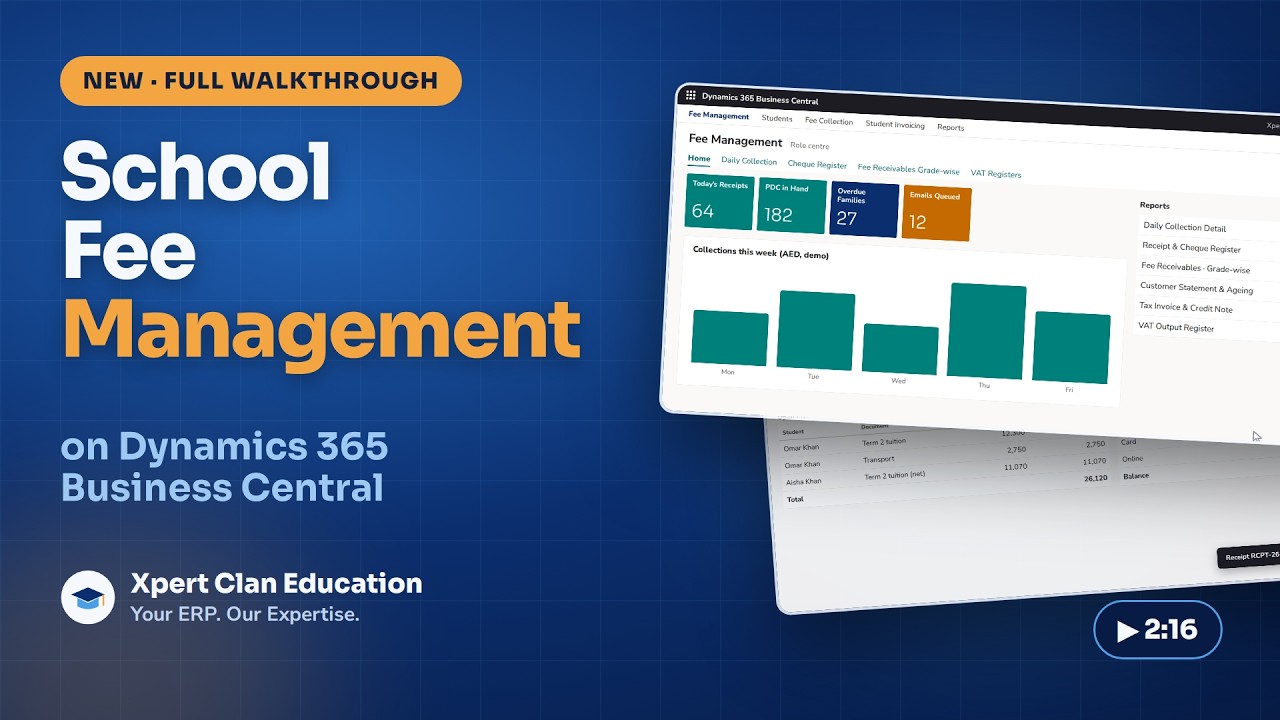
- One fee item per type of fee. Tuition, transport, re-registration, activities, books and uniforms are separate items, each with its own revenue account and VAT setup.
- A deferral template on each item that is earned over time. The template points to the Fees received in advance account and sets the recognition pattern. Business Central offers straight-line, equal per period, days per period, or a user-defined schedule, and descriptions such as "Tuition recognised for %4 %6" so each entry reads "Tuition recognised for October 2026".
- Term invoicing creates the schedule automatically. When the fee run posts Term 1 invoices, each line carries its deferral schedule. The full amount goes to Fees received in advance, and the monthly releases to revenue are created at the same time, dated to each month of the term.
- Goods are not deferred. Uniforms and books have no deferral template, so they hit revenue when invoiced.
- Withdrawals adjust the schedule. When a student leaves, the credit note reverses the deferral for the unearned months, so revenue stops at the leaving date and the refund or retained amount is posted correctly.
- Reports prove the balance. The G/L Deferral Summary and Sales Deferral Summary reports show what has been recognised and what is still deferred, so the Fees received in advance balance can be tied out at every month-end and year-end.
Because everything runs on Business Central dimensions, the same entries can be reported by campus, grade and fee type, which is exactly what school groups and investors ask for.
A checklist for school finance teams
- Is your recognition period (term or academic year) documented and based on your enrolment contract?
- Does every fee type have its own revenue account, and the right VAT treatment?
- Are advance and re-enrolment fees held in Fees received in advance until the term starts?
- Have you decided, and documented, how registration and admission fees are treated?
- Are discounts and scholarships posted as a reduction of revenue?
- Do withdrawals stop revenue at the leaving date and post refunds against the deferred balance?
- Can you reconcile Fees received in advance to individual students at month-end?
If any of these needs a spreadsheet today, it can be automated.
This article is general information, not accounting or tax advice. Apply it to your school with your auditor and tax adviser.
Sources: IFRS Interpretations Committee, Recognition of Revenue from Tuition Fees (IFRS 15), April 2025 · Alvarez & Marsal, UAE VAT: new Education Sector Guide published (VATGED1) · PwC, FTA publishes VAT Guide for the Education Sector · Microsoft Learn, Defer revenues and expenses
Run fee deferrals automatically in Business Central
See how our School ERP posts every fee to the ledger and releases it to revenue month by month.